

Overriding Instances
After placing a component in your design, how do you modify its content? Which changes will be preserved? Which will be overwritten by main component updates? This article helps you understand.
Directly Modifying Instances
After dragging a component onto the canvas, you get an instance of that component. If you want its text, color, or icon to differ from the default, you don't need to do anything special — just select the layer inside the instance and modify it directly.
For example, you have a button component that defaults to "OK." You want to use it on a login page showing "Login" — just double-click the text and change it to "Login." Done.
These "modifications made on an instance" are called overrides.
What Happens After Overriding
Overridden properties will retain your modifications and no longer sync with the main component. Properties that haven't been overridden will continue to follow main component updates.
For example: Your button component originally has a blue background and text "OK." On one instance, you changed the text to "Login" but didn't change the color. Later, the component author changes the button's background from blue to green — what happens to your instance?
- Text remains "Login" (you overrode it, keeping your modification)
- Background becomes green (you didn't change it, follows the main component update)
This is exactly the benefit of components: you can confidently reuse them with consistent key styles while making local adjustments for specific contexts.
What Can Be Modified
On an instance, you can freely modify:
- Text content, font styles
- Fill colors, strokes
- Shadows, blurs, and other effects
- Layer visibility (show/hide)
- Nested sub-components can be swapped for other components
- Export settings
In short, appearance-related properties can all be modified.
What Cannot Be Modified
To keep the component structure intact, the following cannot be done inside instances:
- Add new layers to the instance
- Delete a layer from the instance
- Change the size, position, or rotation of child layers inside the instance
If you really need to do these things, you have two options:
- Go back to the main component to make changes — all instances using this component will update accordingly
- Detach the instance — convert it back to a regular container, but it will lose its link to the main component
Undoing Overrides (Reset)
Changed your mind and want to revert to the main component's appearance? Use the "Reset" function.
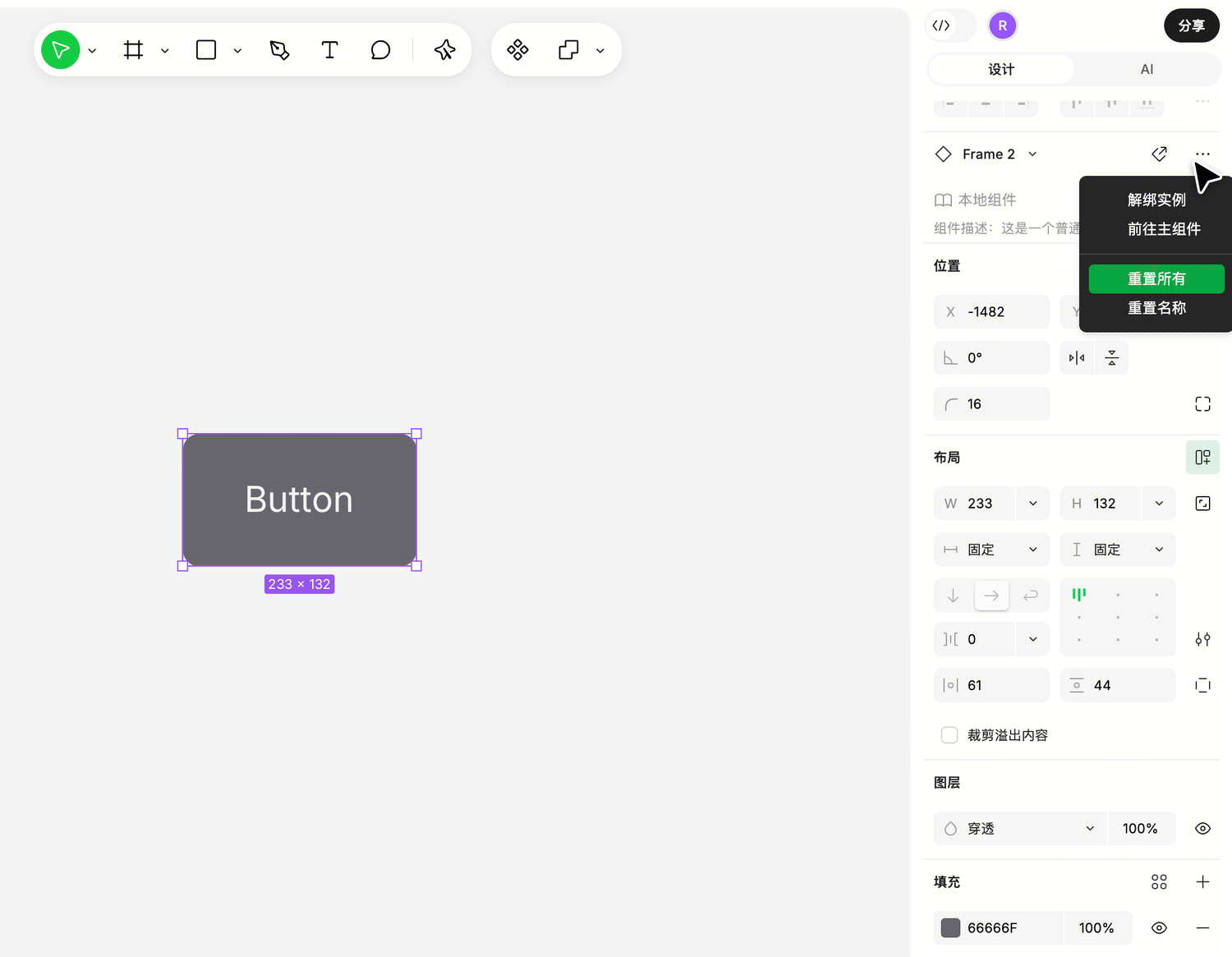
How to Reset
- Select the instance
- In the right panel's instance area, click more actions (
···) - Select "Reset All"
Resetting only reverts overrides on the current instance and won't affect nested instances within it. In other words, the reset scope is "the differences between the currently selected instance and its main component" — it doesn't propagate downward.
When Swapping Instances, Are Modifications Preserved?
You'll often encounter this situation: you used Icon A, made some modifications (like changing the color), then realized Icon B is more suitable. If all modifications disappear after swapping, you'd have to redo everything — very annoying.
Ardot helps with this: When swapping instances, inheritable modifications are automatically carried to the new component.
When Can Modifications Be Inherited
Inheritance relies on "layer name + layer type" matching. If the old component has a shape called "icon" whose color you changed, and the new component also has a shape called "icon," the color modification will be inherited.
Specifically:
- Instance-level overrides (like visibility, overall size) are directly preserved
- If both components have only one text layer, your text changes will be automatically carried over (layer names don't need to match)
- Other layers match by "same name + same type" — e.g., "icon" matches "icon," but if one is text and the other is a shape, they won't inherit
Types don't cross: Text, nested instances, and other layers (containers, shapes, etc.) don't inherit between each other.
Nested instances require hierarchy match: Instances within instances must match in both hierarchy position and name to inherit overrides.
What If You Swap Back?
Don't worry. If you swap from Component A to Component B, then back to Component A, your previous modifications on A will automatically restore — Ardot remembers them.
A Detail: What Counts as an "Override"
Whether a property counts as an override depends on whether the instance differs from its directly corresponding main component.
This sounds obvious, but there's an easy point of confusion:
Suppose you made a button component with a nested icon instance inside. While making the button component, you changed the icon's color to green (this was done inside the button component).
Later, someone uses this button component and sees the icon is green — this is not an override, because the button component was defined with green.
Only when someone changes that icon's color on the button's instance (e.g., to red) does red count as an override on that button instance.
Simply put: Overrides only look at differences between you and your main component, without tracing further back.